
GST Number Search by GSTIN or PAN – Free Verification
Search and verify GST number format online. Checks GSTIN structure, state code and checksum by GSTIN — offline, no live portal lookup.
Use this tool to check the format of a GSTIN (15-character GST Identification Number) or extract the embedded PAN (10-character Permanent Account Number). This validates structure and checksum only — it does not fetch live details from the GST portal.
For legal business name, registration date, GSTIN status, filing history (GSTR-1/GSTR-3B) and other live records, use the official GST portal or a licensed GSP integration.
What is GSTIN?
GSTIN, or Goods and Services Tax Identification Number, is a 15-character alphanumeric identity issued to a person or business after GST registration in India. It works as the official GST identity of a registered taxpayer and helps link invoices, returns, tax payments, input tax credit, e-way bills, and other compliance records with the right business. During a GST Number Search, this PAN-based number is used to verify traders, manufacturers, service providers, exporters, suppliers, e-commerce sellers, agents, distributors, and other registered businesses involved in taxable supplies.
A correct GSTIN is important because it allows customers, vendors, and tax authorities to verify whether a business is legally registered and active under the GST system. Businesses must mention their GSTIN properly on tax invoices, purchase records, GST returns, and official GST-related documents to avoid mismatches, input tax credit issues, penalties, or trust problems. Anyone can also perform a GST Number Search through the official GST portal’s taxpayer search to verify basic business details, helping improve transparency before dealing with a business.
Why GSTIN Verification Is Important for Businesses in India
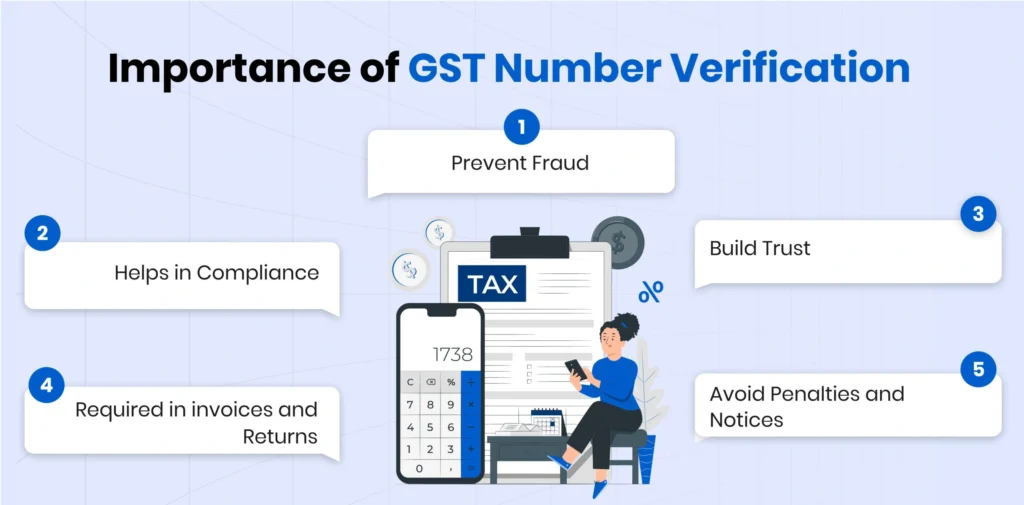
GSTIN verification helps businesses check whether a GST number is valid, active, and linked to the correct registered taxpayer. Before working with a supplier, vendor, customer, or business partner, this step can protect you from fake invoices, wrong tax details, cancelled registrations, and possible compliance issues. It also helps make sure that invoices, GST returns, and input tax credit claims are based on accurate information.
A GST number check helps confirm that the business is legally registered under GST. It allows you to verify important details such as the legal name, trade name, registration status, and taxpayer type before starting a transaction.
Fake GST numbers and bogus invoices can create serious financial and legal problems. By verifying GSTIN details in advance, businesses can reduce the risk of dealing with fraudulent suppliers or incorrect billing records.
Input tax credit depends on correct GST details and valid supplier records. If a business accepts an invoice with an invalid, cancelled, or mismatched GSTIN, it may face ITC rejection, reversal, penalties, or extra scrutiny during reconciliation.
Correct GSTIN details help businesses generate accurate invoices, e-invoices, purchase records, and GST returns. This reduces filing errors, mismatches, and unnecessary corrections later.
GSTIN verification is useful when adding a new vendor, supplier, dealer, or business customer. It gives companies more confidence before making payments, signing contracts, or building long-term business relationships.
When GST details are verified, both buyers and sellers can deal with each other more confidently. It creates transparency in business transactions and helps maintain clean records for audits, tax checks, and internal compliance.
GSTIN Format: 15-Digit GST Number Structure
GSTIN Format
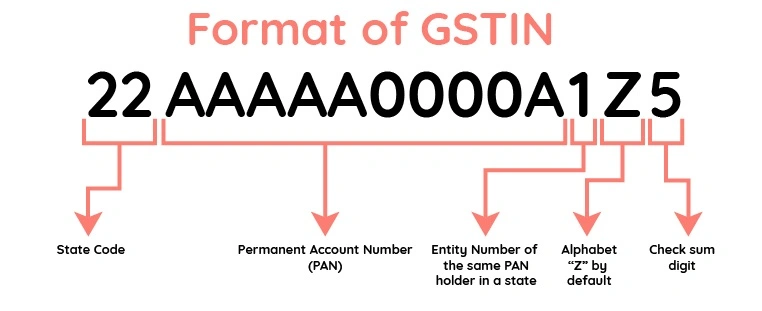
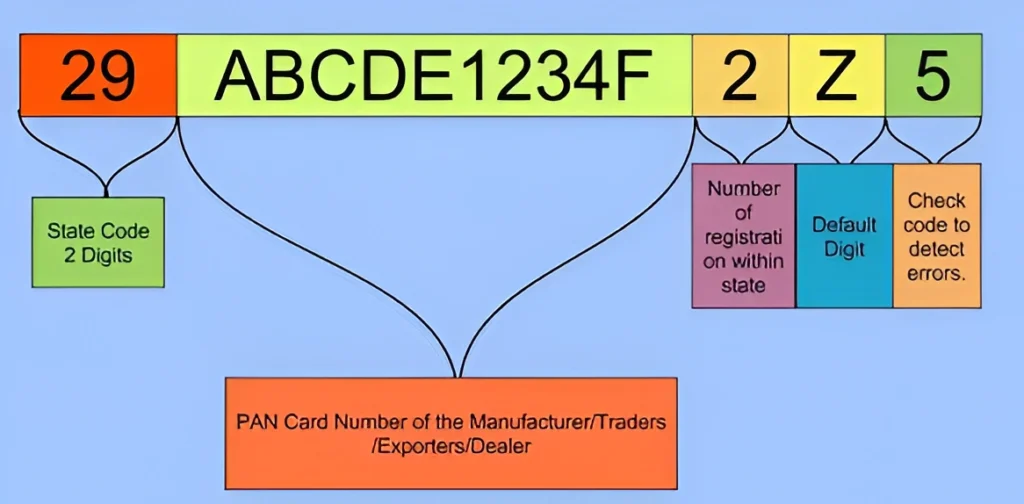
A GSTIN is a 15-character alphanumeric number used to identify a GST-registered taxpayer in India. During a GST Number Search, each part of this number has a fixed meaning, so understanding the format can help you spot typing errors, incorrect GST details, or mismatched supplier information before using it on invoices or GST return.
First 2 digits – State code:
The first two digits show the state or union territory where the business is registered. For example, 07 is used for Delhi and 09 is used for Uttar Pradesh.
Next 10 characters – PAN number:
The 3rd to 12th characters are the PAN of the registered business, company, firm, or proprietor. This links the GST number with the taxpayer’s PAN identity.
13th character – Entity number:
The 13th character shows the number of GST registrations held under the same PAN in the same state. For example, 1 usually means the first registration in that state.
14th character – Default “Z”:
The 14th character is generally kept as Z by default. It is treated as a fixed/reserved character in the GSTIN format.
15th character – Check code:
The last character is a system-generated check code. It may be a number or an alphabet and is used to detect format errors in the GSTIN.
Before accepting a GST number, you can do a basic format check by confirming that it has 15 characters, starts with a valid state code, includes the correct PAN in the middle, and has Z in the 14th position. However, format checking alone does not prove that the GSTIN is active or genuine. For proper confirmation, always verify the GST number through the official GST portal or a reliable GST verification tool.
Can One PAN Have Multiple GSTINs?
A single PAN holder can legally have multiple GST numbers because GST registration is based on state-wise business operations. If a business operates in different states, each state may require a separate GST registration. For example, a business operating in Maharashtra, Gujarat, and Karnataka can have different GSTINs under the same PAN.
Multiple GST registrations can also exist within the same state when a business operates through different locations, business units, or distinct verticals. GST rules allow eligible businesses to obtain additional registrations for different places of business, helping them maintain organized financial records and simplify tax reporting.
Although multiple GST numbers are connected to the same PAN, each GSTIN is considered a separate taxable entity under GST law. Every registration has its own compliance responsibilities, including filing returns, maintaining records, issuing invoices, and managing input tax credit. Transactions between different GST registrations of the same business may also require proper documentation under GST provisions.
For businesses, accountants, and compliance professionals, identifying all GST numbers linked with a PAN is important for maintaining accurate records and smooth tax management. A PAN-based GST search helps verify associated registrations, understand a company’s presence across different locations, and simplify GST compliance.
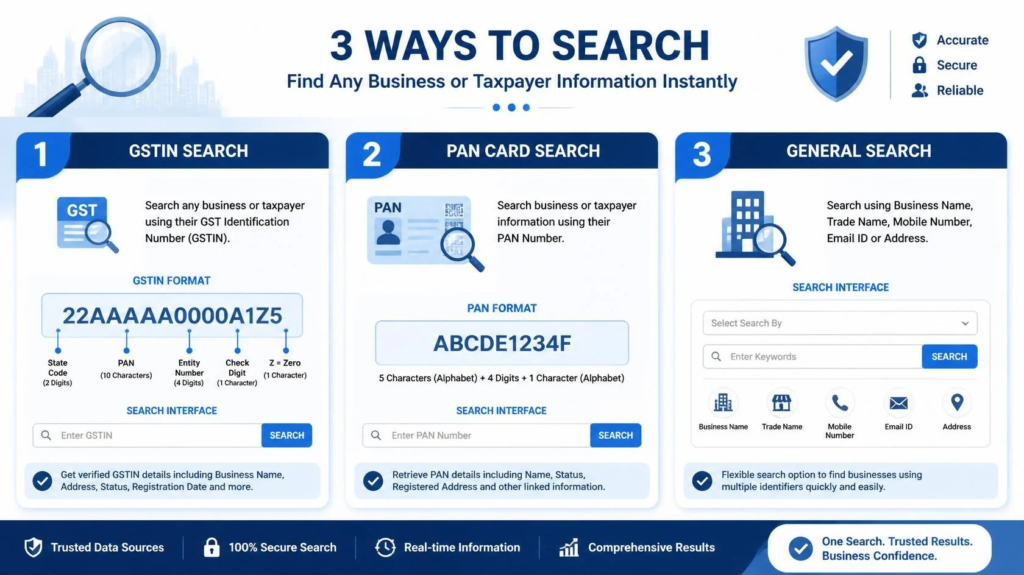
3 Simple Ways to Search a GST Number
A GST number search helps you check whether a business is registered, active, and safe to deal with. You can verify GST details using different information, depending on what you already have.
This is the fastest and most direct method. Enter the 15-digit GSTIN to check important details such as business name, registration status, taxpayer type, state, and jurisdiction.
If you do not have the GSTIN, you can search through the PAN number. This method helps find GST registrations linked with the same PAN, especially for businesses operating in more than one state.
When you only know the legal name or trade name of a business, a name-based search can help you find matching GST records. This is useful when a supplier has not shared their GST number, but you still want to verify the business before making a payment or creating an invoice.
How to Check GST Number Online Step by Step
What Details Can You Get After GST Number Verification?
After performing a GST Number Search online, you can view important taxpayer details linked with that GSTIN. These details help you confirm whether the business is genuine, active, and registered under the correct name before you accept an invoice, make a payment, or claim input tax credit.
GSTIN or UIN:
The verified GST number or Unique Identification Number linked with the taxpayer.
Legal name of the business:
The official registered name of the business as per GST records.
Trade name:
The business name or brand name used in daily operations, if available.
Registration date:
The date from which the GST registration became active.
Constitution of business:
The business type, such as proprietorship, partnership, LLP, private limited company, or other registered structure.
Taxpayer type:
The GST category of the taxpayer, such as regular taxpayer, composition taxpayer, or another applicable type.
Principal place of business:
The main registered business address under GST.
Additional place of business:
Other registered business locations, if available in the GST records.
GSTIN status:
Whether the GST number is active, cancelled, suspended, or inactive.
Cancellation date:
The date of cancellation, if the GST registration has been cancelled.
Return filing details:
Basic return filing information that helps understand recent GST compliance activity.
Jurisdiction details:
State and centre jurisdiction details linked with the taxpayer, where available.
These details make GST verification useful for vendor onboarding, invoice checking, fraud prevention, GST return accuracy, and input tax credit protection. If the GSTIN status, business name, or address does not match your invoice or supplier record, you should review the transaction carefully before moving ahead.
Features of a GST Number Search and Verification Tool
A GST Number Search and verification tool makes GSTIN checking faster, easier, and more reliable for businesses, accountants, tax consultants, and finance teams. It helps confirm business identity, reduce invoice errors, and support better GST compliance.
|
Feature |
How It Helps |
|---|---|
|
Instant GSTIN Check |
Helps verify whether a GST number is valid, active, cancelled, or mismatched. |
|
Business Detail Verification |
Shows key taxpayer details such as legal name, trade name, registration date, taxpayer type, and GSTIN status. |
|
GSTIN Format Validation |
Checks whether the entered GST number follows the correct 15-character GSTIN structure. |
|
Vendor Onboarding Support |
Helps businesses verify suppliers, dealers, service providers, and customers before adding them to records. |
|
Invoice Error Reduction |
Reduces the chances of using wrong GST details on invoices, e-invoices, purchase records, and GST returns. |
|
Input Tax Credit Safety |
Helps protect ITC claims by confirming that supplier GST details are correct before accepting invoices. |
|
Fraud Prevention |
Helps identify fake GST numbers, inactive registrations, cancelled GSTINs, and suspicious business details. |
|
PAN or Business Name Search |
Some tools allow users to search GST details through PAN or business name when the GSTIN is not available. |
|
Bulk GSTIN Verification |
Useful for companies that need to check multiple vendors or customers quickly. |
|
Compliance Record Support |
Helps finance teams keep verified GST data for audits, reconciliation, and GST return filing. |
|
Mobile and Desktop Access |
Allows users to check GST numbers easily from different devices. |
|
Better Business Trust |
Helps buyers and sellers confirm basic GST details before starting a transaction. |
Using these features, businesses can perform a GST Number Search to verify GST details before payments, invoices, vendor approvals, or input tax credit claims. This makes the overall GST process cleaner, safer, and more transparent.
Benefits of Using an Online GST Number Checker
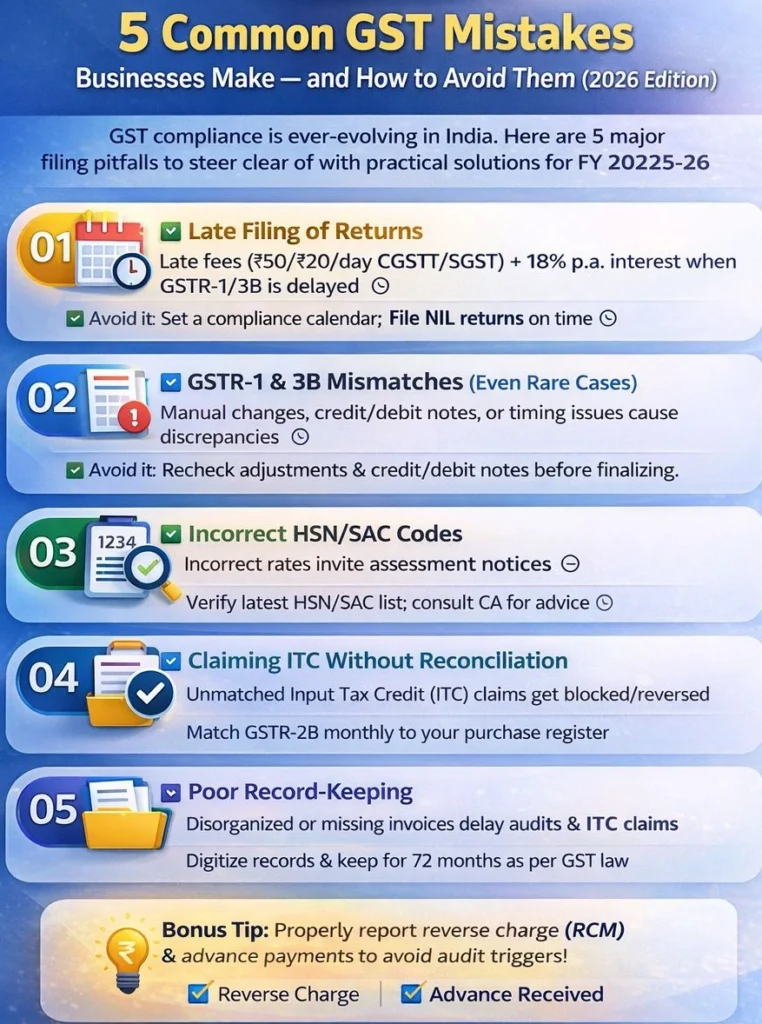
Common GST Number Search Mistakes to Avoid
How to Report a Fake GSTIN
Reporting a Fake or Suspicious GSTIN
If a GST number looks fake, inactive, cancelled, or does not match the business details on an invoice, you should report it with proper proof. A quick complaint can help protect your business from fraud, wrong billing, and input tax credit issues.
Before You Report
Start by checking the GSTIN on the official GST portal. Compare the GST number with the supplier’s legal name, trade name, address, invoice details, and registration status. If the details do not match, or the GSTIN appears invalid, keep a record of the mismatch.
Information to Keep Ready
You should collect all important proof before filing a complaint. This may include the GSTIN, supplier name, invoice copy, payment details, screenshots from the GST portal, email records, chat records, business address, and any other document that supports your complaint.
Where to Report
You can raise a complaint through the GST Grievance Redressal Portal. You may also contact the GST Helpdesk at 1800-103-4786 for support related to GST portal issues. If the case involves fake invoices, tax evasion, or misuse of your business details, you can also approach the relevant GST jurisdictional authority.
After Submitting the Complaint
Once the complaint is submitted, save the reference number or ticket number. Use it later to track the status of your complaint. Until the issue is resolved, avoid accepting the invoice, making payment, or claiming input tax credit on that transaction.
Why It Matters
Reporting a fake GSTIN helps stop GST fraud, protects genuine businesses, reduces fake invoicing, and supports a cleaner tax system. It also helps you avoid future penalties, GST mismatches, and legal complications caused by dealing with suspicious suppliers.
Video Tutorial
Frequently Asked Questions
Final Words
Verifying a GST number is an essential step for businesses, suppliers, accountants, and buyers before any transaction. A GST Number Search helps confirm that a GSTIN is valid, active, and linked to the correct registered taxpayer, reducing the risk of fraud, invoice mismatches, and compliance issues. Whether you search by GSTIN, PAN, or business name, accurate GST verification supports better record management, protects input tax credit claims, and ensures smoother GST compliance.
Using a reliable GST Number Search tool allows businesses to make informed decisions, verify taxpayer details quickly, and maintain greater transparency in every transaction.